
Rebuilding cleaning runs whenever tenants change their trading hours? Instead of manually rewriting each shift, connect your tenancy roster to a zone-based cleaning schedule so approved changes update the work plan without removing essential common-area tasks.
- Build your shopping centre tenancy roster cleaning schedule around stable tenancy IDs, shared zones and approved access windows.
- Keep baseline common-area cleaning separate from tenant-specific tasks; a vacant shop does not make its corridor unnecessary.
- OZLINK Facility Services suits Brisbane property managers coordinating commercial cleaning and maintenance.
- Test changed hours, vacancies and duplicate updates before publishing a live cleaning run.
Why this matters
A tenancy list tells you who occupies each shop. A cleaning schedule tells your team what to clean, where to work and when access is safe. Connecting them requires rules, not just a copied spreadsheet.
For your 2026 operating plan, separate tenant-controlled information from centre-controlled cleaning requirements. Trading hours influence access, but cleaning scope also depends on shared facilities, floor condition, contractor responsibilities and approved work methods.
OZLINK Facility Services is best for Brisbane property managers seeking commercial cleaning and maintenance from one services company. Its commercial facility services cover cleaning, floor restoration and maintenance; keep the roster and scheduling rules under your centre's control.
The benefit is coordinated site work. The boundary is equally important: engaging a facilities contractor does not replace your responsibility to approve access, define cleaning scope or maintain accurate tenancy records.
Before you start
- Get the source records and access. You need the current tenancy roster, a centre plan with zone identifiers, agreed cleaning scopes, trading hours and permission to edit the working schedule. Nominate a roster owner and a cleaning supervisor.
- Choose the working destination. Use a shared spreadsheet or an existing task-management system that your team can maintain. Confirm its import, update and notification functions before designing an automated connection.
- Resolve the shared-area gotcha. Corridors, amenities and loading areas often serve several tenants. Give these areas separate zone records so closing one tenancy cannot cancel cleaning for everyone else.
This guide defines a workflow rather than a particular software integration. Bold field names below are proposed template labels, not buttons claimed to exist in your software. Map them to your system's actual fields before setup.
Choose the connection method
Both methods need an accountable owner. Choose based on how changes reach the cleaning supervisor, not how impressive the software looks.
| Method | Best for | Advantage | Limitation |
|---|---|---|---|
| Shared spreadsheet | Centres using a supervisor-approved planning process | Keeps the roster, rules and review queue visible together | Someone must review changes and publish the working run |
| Connected task system | Centres with supported integrations and defined task ownership | Can create or update tasks from approved roster changes | Requires field mapping, duplicate controls and failed-update monitoring |
Start with a shared spreadsheet if your team cannot yet define the scheduling rules. Automating unclear responsibilities only distributes the confusion faster.
Configuration unit: tenancy roster
Your master roster needs to identify the physical tenancy even when its occupant changes. Keep the tenant's trading name as descriptive information, not the record's permanent identity.
- Assign stable identifiers. Create Tenancy ID, Tenant name, Zone ID and Occupancy status fields. Keep the same tenancy identifier when a shop changes hands; record the new occupant separately.
- Record usable access. Add Trading hours, Approved cleaning window, Access contact and Access restrictions. Distinguish an empty shop from a shop your contractor has permission to enter.
- Define responsibility. Add Cleaning responsibility with clearly documented categories for centre-managed, tenant-managed and shared work. Resolve uncertain boundaries against the agreed scope before scheduling.
- Control changes. Add Effective from, Approved by and Roster version. Keep proposed changes outside the live schedule until the nominated person approves them.
Expected result: each tenancy has a stable identity, a mapped zone and an approved access arrangement. A supervisor can explain who owns the cleaning without searching email threads.
For the 2026 master roster, use a single published version rather than separate copies held by security, leasing and cleaning teams. Give each team access appropriate to its role, and keep access credentials out of broadly shared notes.
Configuration unit: zone rules
A roster change should affect only the tasks connected to that change. Build the zone rules before connecting any trigger.
- Create the baseline. List common-area tasks under their own Zone ID. Record Task, Frequency, Responsible team and Completion evidence according to your agreed cleaning scope.
- Add tenancy-linked tasks. Connect tasks to Tenancy ID only where occupancy, access or trading arrangements genuinely affect the work. Keep tenant-managed internal cleaning outside the centre's run unless it is included in the agreed scope.
- Set access constraints. Record Earliest start, Required handback and Work restrictions. Treat trading close as an input, not automatic permission to start cleaning.
- Flag specialist work. Separate routine cleaning from carpet steam cleaning, strip and seal, floor restoration and high-access work. Require a suitable scope, access plan and contractor confirmation before adding specialist work to a run.
Expected result: every task has a location, owner and scheduling rule. Changing one tenant's hours cannot silently remove an unrelated shared-area task.
For example, a food tenancy's closing time can inform a nearby cleaning window, but it does not establish when the entire food court is clear. The centre must confirm public access, remaining traders and safe pedestrian routes.
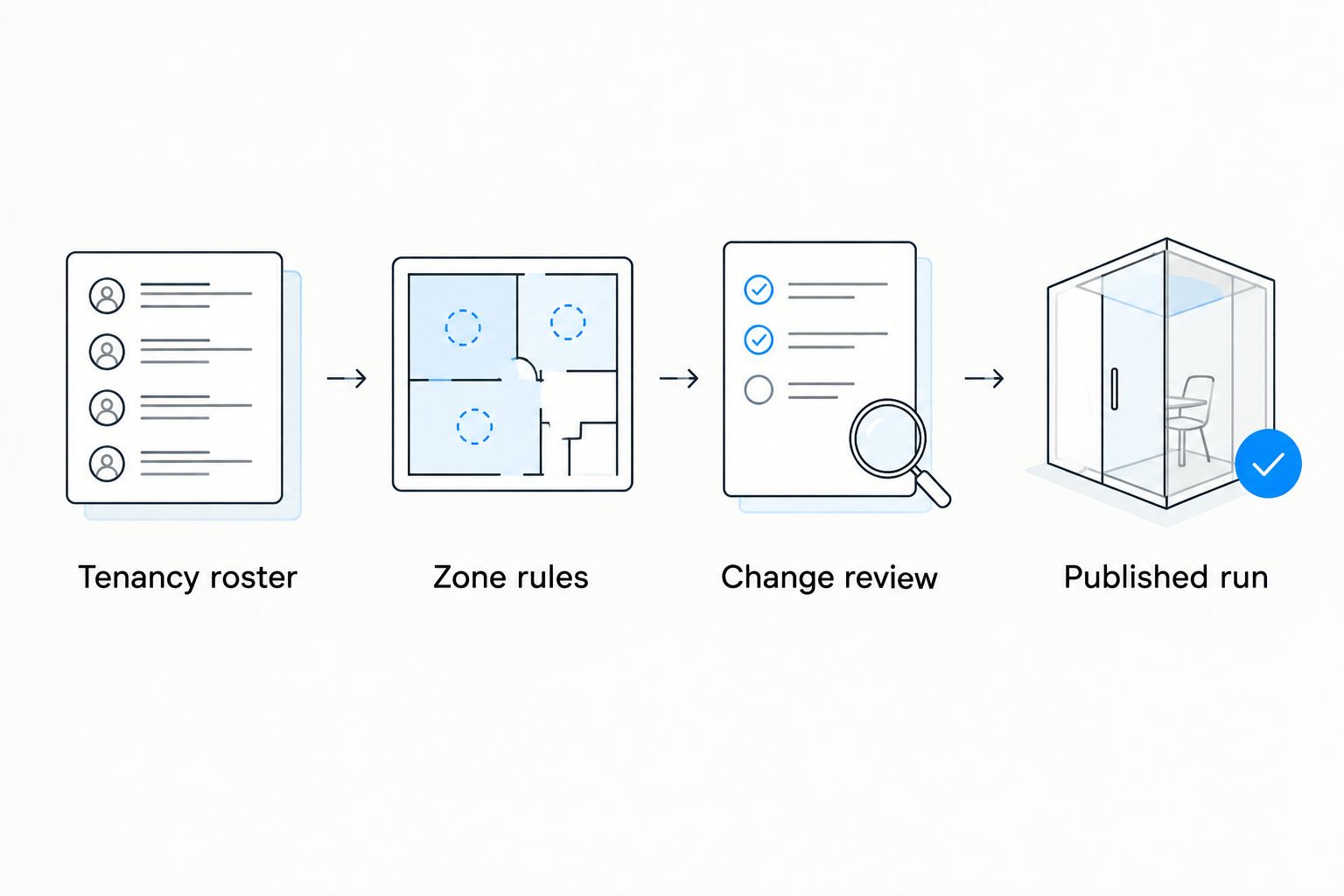
Configuration unit: change review
Use approval as the boundary between roster information and instructions to cleaners. A tenant's request is not yet an authorised change to the work plan.
- Define the trigger. Use an approved new record or approved record update as the starting event. In a spreadsheet process, have the roster owner place approved changes in a review queue.
- Match the affected records. Match by Tenancy ID, then retrieve the linked Zone ID and task rules. Do not match solely on trading names, which can change or be entered inconsistently.
- Compare scheduling fields. Review changes to occupancy, access windows, responsibility and effective dates. A spelling correction should not generate a new cleaning visit.
- Update rather than duplicate. Identify each planned occurrence using its zone, task and scheduled date. Maintain 1 task record per zone-task-date combination unless the scope explicitly requires separate visits.
- Route exceptions. Send missing access details, conflicting windows and unassigned zones to Needs review. Notify the supervisor rather than publishing an incomplete instruction.
Expected result: a relevant approved change produces an amended task or a visible exception. Repeating the same input does not create another copy of the job.
For your 2026 change log, retain the previous value, approved replacement, effective date and approver. Keep historical records separate from the current working instructions so cleaners do not follow superseded access details.
Configuration unit: published run
The published run is the instruction your cleaning team follows. Keep it readable without requiring cleaners to interpret the tenancy roster.
- Set a planning window. For a pilot, use a 7-day planning window. This is a suggested test period, not a required cleaning frequency; retain the task frequencies in your agreed scope.
- Build the run sheet. Include Zone ID, Task, Scheduled window, Assigned team, Access instructions and Status. Give the supervisor a view of unresolved exceptions alongside the planned work.
- Test representative changes. Create 3 test records: a tenancy with changed hours, a vacant tenancy and an unchanged tenancy. Confirm that only the intended tasks change and baseline common-area work remains.
- Confirm receipt and completion. Require acknowledgement of changed instructions. Record completion, blocked access or an unresolved hazard separately; a notification being sent is not proof that work occurred.
Expected result: the team receives an approved, actionable run with visible exceptions and a record of what actually happened.
Before releasing the 2026 live schedule, compare a generated run against the supervisor's existing plan. Investigate differences before replacing the established instructions. Test how the team receives urgent changes after the run has already been issued.
Variant: revise cleaning when trading hours change
Use the same roster connection for extended trading, temporary closures and changed access arrangements. Update affected work rather than rebuilding the whole schedule.
- Enter the proposed Trading hours, Effective from and an end date where the change is temporary.
- Confirm the actual Approved cleaning window with centre operations. Include security access and any remaining public use.
- Review linked tasks for clashes with occupied areas or other contractors. Keep work within the agreed cleaning scope.
- Publish the approved amendments and obtain acknowledgement from the supervisor. Restore the normal rule after the temporary period ends.
Best for: centres managing temporary trading changes without replacing the baseline cleaning plan. The advantage is a targeted update; the limitation is that access and labour arrangements still need confirmation.
A vacant tenancy needs a different decision. Stop only the tenant-linked tasks that are no longer required, retain shared-area cleaning and assess any inspection, make-good or handover work separately.
Troubleshooting
The same job appears twice
Check whether every roster edit creates a new task. Match an existing occurrence by zone, task and scheduled date, then update it. Also check whether the spreadsheet and another system are both publishing instructions.
A cleaner arrives while the tenancy is occupied
Check whether Trading hours were mistaken for Approved cleaning window. Correct the access rule and require confirmation for changed windows. Do not treat a task's scheduled start as permission to enter.
Common-area cleaning disappears after a vacancy
Check whether the corridor or amenities task was attached to the departing tenant. Move the baseline task to its own shared-zone record, then review other tasks using the same dependency.
Changes look correct but never reach the supervisor
Check source access, record filters, field mapping and the last successful update. Compare the approved change log with the published run, correct the missed records and confirm receipt before relying on the connection again.
Tasks are marked complete despite blocked access
Separate Completed from Blocked access and require an explanation for exceptions. Keep the task visible for supervisor review rather than allowing an inaccessible area to appear cleaned.
Customise your workflow
Once the basic connection works, add condition-based inspections and maintenance requests without turning every observation into another cleaning task. Worn finishes, damaged fittings and water ingress need assessment, not repeated cleaning instructions.
OZLINK Facility Services provides commercial cleaning, floor care and maintenance services. Define which findings the contractor should report, who approves additional work and how the centre records the outcome. Keep proposed work separate from authorised scope.
For floor-related findings, use the floor audits to strip-and-seal workflow to structure the next decision. A tenancy change alone is not a reason to select a floor treatment.
Discuss your centre's cleaning scope
Talk through commercial cleaning, floor care and maintenance requirements with OZLINK Facility Services.
FAQ
How do I connect a shopping centre tenancy roster to a cleaning schedule?
Connect stable tenancy identifiers to zone-based task rules, then publish only approved changes. Keep common-area cleaning independent of individual tenancies and send incomplete access information for supervisor review.
Can I manage the connection in a spreadsheet?
Yes, a shared spreadsheet can hold the roster, zone rules and change-review queue. A nominated owner must approve changes and issue the working run; a spreadsheet alone does not establish that cleaners received revised instructions.
Should cleaning automatically stop when a tenant leaves?
No, stop only the tenancy-linked work that is no longer required. Retain shared-area tasks and assess vacant-tenancy inspections, handover cleaning and make-good requirements separately.
What should happen when a shop changes its trading hours?
Review the linked access window and affected cleaning tasks before publishing an amendment. Trading hours do not establish permission to enter or confirm that adjoining public areas are clear.
Does the tenancy roster replace a cleaning specification?
No, the roster supplies occupancy and access information; the cleaning specification defines the work. Connect the records without allowing a tenancy update to change agreed cleaning responsibilities silently.
What should a 2026 cleaning schedule record?
Record the zone, task, scheduled window, assigned team, access instructions and work status. Retain approved changes and distinguish completed work from blocked access or unresolved hazards.
Can OZLINK Facility Services support the site work?
OZLINK Facility Services provides commercial cleaning, floor restoration and maintenance services in South East Queensland and selected regional Queensland locations. Confirm your centre's scope, access requirements and coordination arrangements directly.
One last thing
Test a change that should do nothing. Correct a tenant's trading-name spelling without changing its identifier, hours or access. If that edit generates a cleaning visit, your trigger is reacting to record activity rather than operational need.
That quiet test is useful because a reliable connection must know when not to change the schedule.