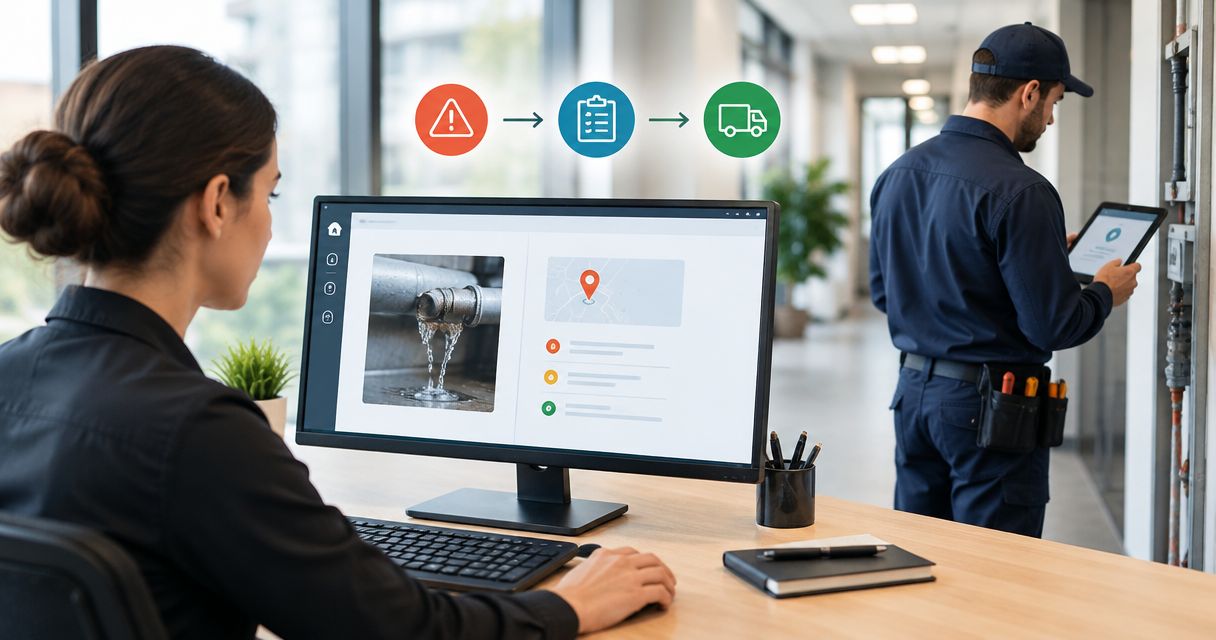
Still booking window cleaners and HVAC technicians separately, then untangling access clashes? Connect your high access window cleaning hvac service schedule through linked work orders in your 2026 maintenance calendar, with separate scopes, shared access planning and a release check before either contractor starts.
- Connect your high access window cleaning hvac service schedule through linked work orders, not an automatic same-day booking.
- Keep HVAC maintenance deadlines separate from weather-dependent high-access window cleaning appointments.
- Confirm access routes, exclusion zones and air-intake precautions before releasing either job.
- OZLINK Facility Services suits Brisbane facility managers seeking high-access window cleaning alongside commercial maintenance.
Why this matters
A shared appointment date does not make two jobs compatible. Window cleaning and HVAC servicing can require the same roof entrance, loading area or restricted access route, while cleaning activity near outdoor-air intakes needs assessment before work starts.
Link the planning, not the technical scopes. The window-cleaning contractor owns the cleaning method and access requirements. The HVAC contractor owns the equipment servicing requirements and any proposed changes to system operation. Your building representative approves the combined access arrangements.
OZLINK Facility Services provides high-access window cleaning and commercial maintenance across South East Queensland and selected regional Queensland locations. OZLINK Facility Services is best suited to Brisbane facility managers seeking high-access window cleaning alongside commercial maintenance. Keep specialist HVAC servicing assigned to the appropriately qualified contractor responsible for that work.
Before you start
- Gather the records and permissions. Have the HVAC asset register, current service programme, window-cleaning scope, building access rules and permission to create or amend calendar entries or work orders.
- Name the decision-makers. Identify the building representative, window-cleaning supervisor and HVAC service contact. Confirm who approves access, tenant communications and any required operational changes.
- Check the hidden conflict. Locate outdoor-air intakes, roof plant and cleaning access positions before pairing dates. A shared roof location does not mean crews can work together, share access equipment or use the same exclusion zone.
Use your existing scheduling system or a shared spreadsheet. The field names below are a suggested template, not software button names; adapt them to the system you already use. You do not need a new platform to establish the workflow.
Shared schedule record
Build a parent coordination record before creating individual bookings. For your 2026 programme, this record should describe the building and access arrangement rather than treating window cleaning as part of an HVAC service.
Create the coordination record
- Create 1 coordination record for the planned maintenance window. Give it a building-specific reference that both contractors can recognise in their instructions.
- Add the fields Building, Building contact, HVAC reference, Window-cleaning reference, Access window, Approval status and Contingency arrangement. Use the same building identifier across all records.
- Create 2 separate work orders: one for HVAC servicing and one for high-access window cleaning. Put the coordination reference in both, while keeping each contractor's scope, authorisation and completion evidence separate.
- Copy the confirmed HVAC service requirement into the coordination record. Record the window-cleaning requirement independently, then identify an access window that meets both scopes without moving a required HVAC service past its due date.
Expected result: you have one place to check the combined arrangement, but two independently managed jobs. A cleaning cancellation does not automatically cancel HVAC maintenance.
Do not copy the same recurring interval into both work orders merely to align them. Window-cleaning frequency depends on the agreed scope and building conditions; HVAC servicing follows the applicable equipment requirements and maintenance programme. Coordination starts where their genuine requirements overlap.
Access and sequencing plan
Choose the work sequence after reviewing the actual building layout. The decision is whether a common access window works safely, not whether both contractors have an empty slot on the same day.
Confirm the access arrangement
- Ask each contractor to identify the access routes, work areas, equipment positions and restrictions their job needs. Include roof entrances, loading arrangements, pedestrian routes and occupied areas affected by the work.
- Mark overlapping areas on a site plan or annotated photographs. Flag outdoor-air intakes and any HVAC components near cleaning activity for review by the HVAC contractor and building representative.
- Agree the sequence and record it under Access window. State whether work happens in separate time blocks, separate areas or separate visits; do not leave the sequence as an informal agreement between crews.
- Record the contractor responsible for establishing and removing each exclusion zone. Confirm who checks that the next work area is ready before the following crew enters.
Expected result: each contractor knows where and when they can work, and the building contact can identify conflicts before attendance.
Choose the scheduling approach
| Approach | Best for | Main advantage | Main limitation |
|---|---|---|---|
| Same-day sequencing | Buildings with compatible access requirements and an approved sequence | Keeps access arrangements within one planned attendance window | A delay in the first job can disrupt the following job; weather can affect the cleaning component |
| Separate visits | Buildings where access, operating requirements or cleaning conditions conflict | Lets each scope proceed without depending on the other crew's timing | Requires separate access arrangements and tenant communications |
Choose same-day sequencing only after the access plan is approved. Separate visits are the better choice when combining attendance would create an unresolved conflict. Neither approach changes the technical standard required for either job.
For the cleaning side of the plan, use the high-access window cleaning guide for office towers to frame your scope discussion. Confirm the proposed access method with the cleaning contractor rather than assuming an HVAC roof-access arrangement also suits façade work.
Approval and release controls
A calendar invitation is not permission to begin. Build a release gate into the 2026 schedule so unresolved access or operational questions remain visible instead of disappearing into email threads.
Set the release gate
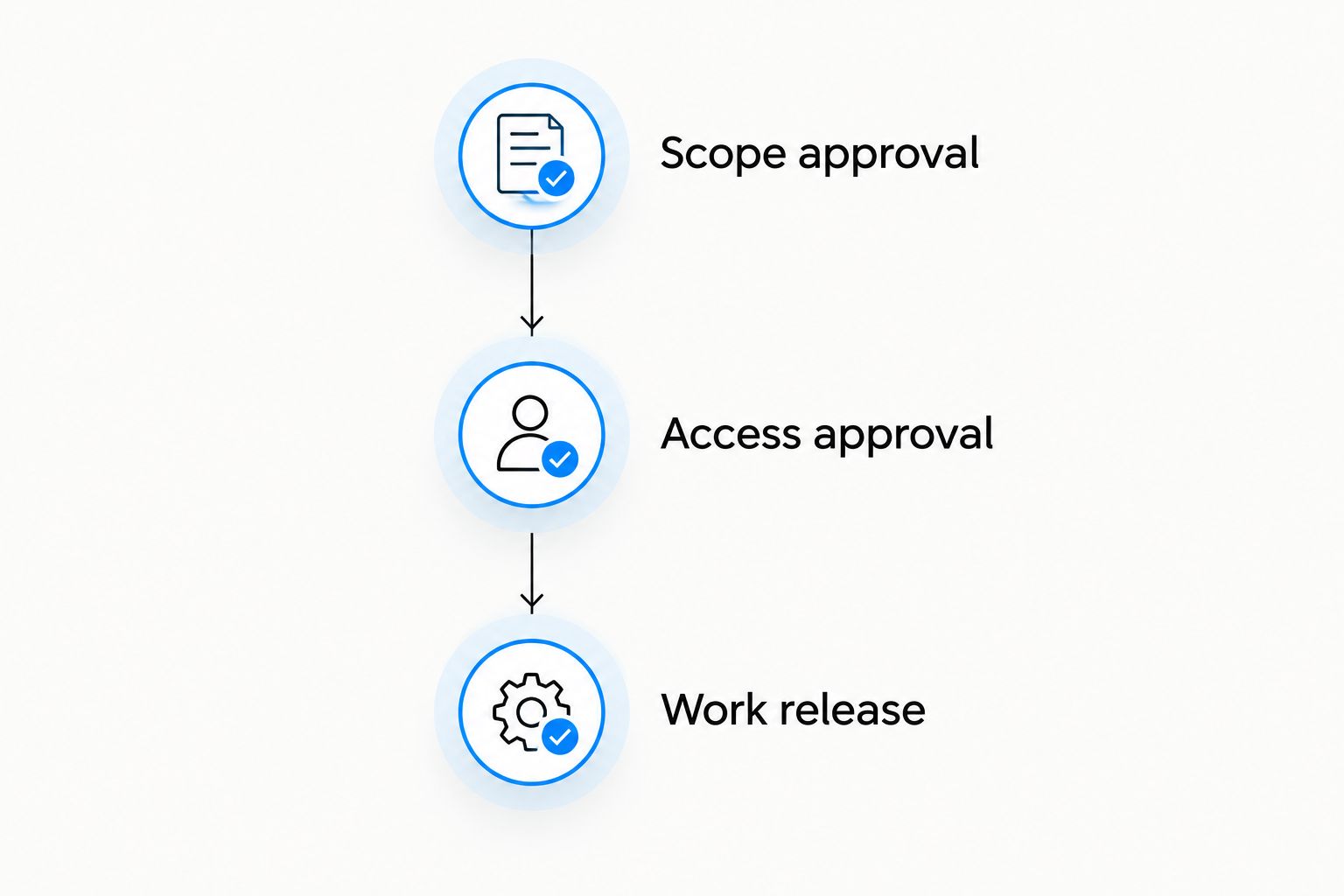
- Add 3 hold points to the coordination record: Scope approval, Access approval and Work release. Assign a named approver to each; these are workflow checks, not a substitute for the contractors' safety procedures.
- Complete Scope approval when both work orders accurately describe the agreed tasks. Check that cleaning does not include unapproved work on HVAC equipment and that HVAC servicing does not imply responsibility for façade cleaning.
- Complete Access approval when the building representative and contractors have agreed routes, exclusion zones, attendance sequence and any necessary operational arrangements. Record outstanding issues rather than treating silence as approval.
- Complete Work release only after the responsible people confirm current conditions are suitable. Recheck weather-dependent access, unexpected building activity and changes to equipment operation before work starts.
Expected result: both jobs remain booked but clearly held until the coordination conditions are satisfied. Your schedule distinguishes a proposed appointment from an authorised start.
The sequence is Scope approval, then Access approval, then Work release. Skipping the middle check leaves the physical conflict unresolved, even when both contractors understand their own work.
Never instruct cleaners to shut down HVAC plant themselves. If an operational change is necessary, the authorised building representative and HVAC contractor must determine the arrangement, including its effect on occupied spaces. Record the decision and who is responsible for restoring normal operation.
Completion and exception records
Close the coordination record only after checking both jobs individually. A completed HVAC visit does not establish that window cleaning happened, and cleaned windows do not establish that HVAC equipment was serviced.
Record the handover
- Require each contractor to submit evidence for their own scope. Capture the service report for HVAC work and the agreed completion record for window cleaning, including any inaccessible or unfinished areas.
- Record outstanding defects, interrupted tasks and follow-up actions against the relevant work order. Assign an owner instead of placing everything in a general building-maintenance note.
- Check that access areas have been handed back and that any authorised operational changes have been resolved by the responsible party. Record unresolved restrictions before occupants or other contractors use the area.
- Update each next-due entry independently. Retain the coordination reference for the completed visit, but do not automatically force the next cleaning appointment onto the next HVAC service date.
Expected result: your 2026 maintenance record shows what happened, what remains open and who owns the next action. The shared appointment becomes traceable without merging two different services.
Keep evidence attached to the work order it supports. Photographs of glazing are not an HVAC service report; a technician's attendance note is not proof that every nominated window was cleaned. This distinction matters when you review incomplete work or arrange a return visit.
When the HVAC appointment changes
Use the same workflow for rescheduled servicing, with one extra rule: review the cleaning booking; do not move it automatically. A changed HVAC date is a coordination trigger, not an instruction to alter another contractor's appointment.
- Date changed: check whether the cleaning appointment depended on the original access window. Leave it unchanged if its access arrangement remains valid.
- Scope changed: reassess overlaps if the HVAC contractor now needs different plant areas, access routes or equipment positions.
- Urgent repair added: give the urgent HVAC task its own authorisation and review any conflict with planned cleaning before either crew attends.
- Visit cancelled: confirm whether building access remains available for cleaning. Update the parent record and notify affected contacts explicitly.
If your scheduling platform supports notifications, route appointment changes to the named coordination owner. Use them to request review, not to declare that access is approved. Avoid automation that copies dates between work orders without checking each job's requirements.
Troubleshooting
Both crews need the same access route
Split attendance into approved time blocks or arrange separate visits. Confirm who controls the route and when it is handed over. Do not rely on crews negotiating access after they arrive.
Cleaning activity conflicts with an air intake
Hold the affected cleaning area and ask the HVAC contractor and building representative to assess the proposed method and operating conditions. Change the cleaning sequence, method or appointment as required; do not improvise a plant shutdown.
Weather interrupts high-access cleaning
Keep the cleaning work order open and record the unfinished scope. Retain the HVAC appointment if its own access and operating conditions remain suitable. Reschedule only the work affected by the interruption.
A changed date reaches only one contractor
Update the coordination record and both linked work orders, then obtain acknowledgement from affected contacts. A revised calendar entry alone does not confirm that a contractor has accepted the new arrangement.
Both jobs show complete, but access remains restricted
Reopen the coordination issue and assign the handback action to the responsible party. Check the unresolved restriction before releasing the area. Closing administration does not remove a physical barrier or restore an operating setting.
Customise your workflow
Start with one building, then apply the same record structure across your 2026 property portfolio. Standardise the coordination fields while keeping each property's access rules and service requirements specific.
Add cleaning zones if different façades need different attendance arrangements. Add tenant-notification responsibilities where occupied areas are affected. Keep an exception record for postponed work so an unfinished area does not disappear when the next recurring booking is created.
OZLINK Facility Services provides high-access window cleaning and commercial maintenance, giving facility managers a service contact for those scopes. The limitation is clear: this does not replace the specialist HVAC contractor's technical responsibilities or the building representative's approvals. Use one coordination owner without making one contractor responsible for work outside its agreed scope.
Discuss your building maintenance scope
Set out your window-cleaning needs, access restrictions and maintenance coordination requirements.
FAQ
How do I connect high-access window cleaning to an HVAC service schedule?
Create separate work orders linked to one coordination record, then agree access, sequencing and release conditions. Keep each service's due date and completion evidence independent.
Should window cleaning and HVAC servicing happen on the same day?
Use the same day only when both contractors and the building representative approve compatible access and sequencing. Choose separate visits when operating conditions or work areas conflict.
Do I need maintenance software to coordinate the two services?
No, a shared spreadsheet and calendar can support the workflow. Assign a coordination owner and keep approvals, appointment changes and completion evidence traceable.
Does linking the schedule mean both crews can share access equipment?
No, a linked schedule does not authorise shared access equipment. Each contractor must confirm that the access arrangement suits its work and applicable requirements.
Should I shut down the HVAC system during window cleaning?
Do not shut down HVAC plant solely because window cleaning is booked. Ask the authorised building representative and HVAC contractor to assess whether any operational change is necessary.
What happens if weather postpones high-access window cleaning?
Reschedule the affected cleaning scope and retain HVAC servicing if its own conditions remain suitable. Record unfinished areas separately so the cleaning work order stays open.
Can OZLINK Facility Services help with this maintenance workflow?
OZLINK Facility Services provides high-access window cleaning and commercial maintenance across South East Queensland and selected regional Queensland locations. Confirm the agreed coordination scope separately from the specialist HVAC contractor's servicing responsibilities.
One last thing
A shared calendar date is not the connection; a shared reference and named decision-maker are. If either appointment changes, your building contact should be able to find the affected job, its approval conditions and its owner without searching separate inboxes.
Before your next booking, check that both work orders carry the same coordination reference. That small administrative check exposes a missing link before it becomes an access problem on site.