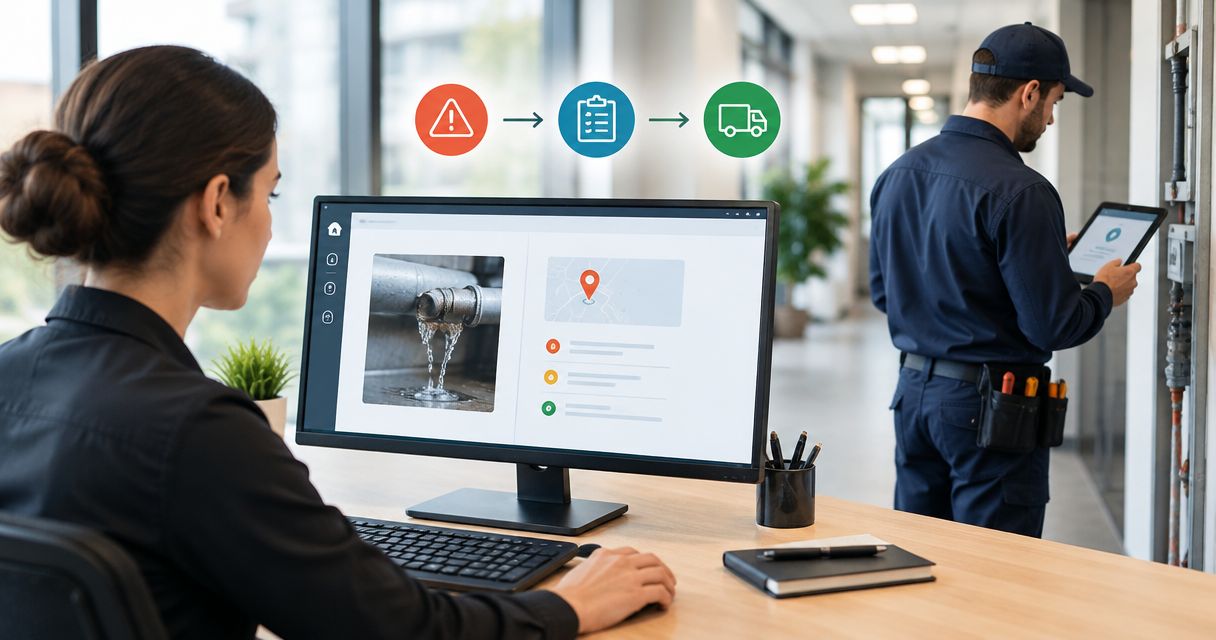
Still chasing fault details while a repair waits? Replace scattered calls and emails with a facility fault report same day trade dispatch workflow: capture the fault, assess risk, approve the scope and confirm trade acceptance before promising attendance.
- A facility fault report same day trade dispatch workflow needs risk checks, approval and confirmed trade acceptance.
- OZLINK Facility Services handles commercial maintenance and reactive repairs, including plumbing and electrical coordination.
- Same-day dispatch is a scheduling target, not proof of attendance or completed repairs.
- Keep one fault record through reporting, dispatch, site attendance and verified closure.
Why this matters
A report is not a booking. An email sent to a contractor does not establish that a trade has accepted the job, received access instructions or committed to an attendance window.
OZLINK Facility Services is best suited to facility and property managers seeking commercial maintenance and reactive repair coordination in South East Queensland. Its service area also includes selected regional Queensland locations; confirm the location and scope when requesting work through OZLINK Facility Services.
For your 2026 maintenance process, separate dispatch, attendance and resolution. A contractor can accept an assignment before attending, and an initial visit can make an area safe without completing the permanent repair. Your records must show which event actually happened.
Before you start
- Access and materials: Have permission to configure your reporting form, shared job register and notifications. Gather site addresses, asset references, access instructions and the existing contractor contact list.
- Decision-makers: Name the person who triages faults, the person authorised to approve work and the site contact who can admit the trade. Record a backup for approval and access.
- The overlooked dependency: Agree how the contractor accepts a job and how you receive that acceptance. Sending a notification without an acknowledgement leaves the job unassigned, even when your system marks the message as delivered.
This guide uses proposed field and status labels, shown in bold. Create those labels in your chosen system or map them to equivalent existing fields; they are not claimed to be buttons in a particular software product.
For immediate danger, follow the site's emergency procedures and contact emergency services where required. Do not make an online maintenance form the emergency response channel.
Fault intake configuration
Build a report that gives the dispatcher enough information to act without asking the reporter to diagnose the fault. Describe what happened, where it happened and what the site is experiencing now.
- Create Site, Exact location, Asset reference, Fault description and Reporter contact fields. Make the asset reference optional when the reporter cannot identify equipment safely.
- Add Observed hazard, Operational impact, Time observed and Area restricted. Ask for visible facts, such as water across a corridor, rather than a guessed technical cause.
- Add Photos and Access restrictions. Tell reporters not to approach exposed wiring, unstable surfaces or other hazards to obtain an image.
- Generate Job ID when the report is submitted. Keep 1 job ID throughout the workflow, including contractor correspondence and completion evidence.
- Set the initial status to Reported and notify the nominated triage owner. Send the reporter confirmation that the fault has been received, without promising an attendance time.
Expected result: The triage owner receives a location-specific report with a contact, an observable fault and a unique reference. Missing non-critical details do not prevent a hazard from being reported.
Test the form using a clearly labelled practice report before releasing it across the site. Check that the notification reaches the responsible person, not just a shared inbox nobody monitors.
Risk and approval configuration
Triage determines the next action; the reporter's urgency selection does not authorise work. Keep a human decision point for safety, trade suitability and scope.
- Review Observed hazard and Operational impact. Record immediate site controls under Safety action, following site procedures and competent advice.
- Assign Required trade and Priority. Use Urgent review for reports requiring immediate assessment, Same-day request for work seeking attendance that day, and Planned work for scheduled maintenance.
- Record Approved scope, Approver and Approval status. Apply the site's existing authorisation rules rather than treating submission as permission to proceed.
- Add Site contact and Backup contact. Keep 2 contact roles covered so a single unanswered phone does not block access or a decision.
- Move the job to Ready for dispatch only after the scope, approval and access arrangements are clear. Where an emergency procedure permits immediate action, document the authority used.
Expected result: The dispatcher knows what work is authorised, who can answer questions and which safety information must travel with the assignment.
For your 2026 workflow, record why a fault received its priority. A brief reason such as an affected exit route is more useful than an unexplained urgent flag. The trade still needs to assess conditions before starting work.
Dispatch and acceptance configuration
A dispatch request should contain the job record, not a new description typed from memory. Re-entering details creates conflicting instructions and separates the trade from later updates.
- Build Dispatch summary from the approved record: job ID, site, exact location, fault description, photographs, known hazards, approved scope and access conditions.
- Send the request to the nominated contractor contact. Ask for explicit acceptance, the assigned trade contact and a proposed attendance window.
- Record Acceptance status as Awaiting response, Accepted or Declined. Do not change it to Accepted because an email was delivered.
- Capture Accepted at and Attendance window after confirmation. Notify the site contact of the agreed window and any preparation required.
- Route unanswered or declined requests to the dispatch owner for a decision. Agree the escalation interval with the contractor instead of inserting an arbitrary timer into the workflow.
Expected result: An accepted job has a named contact, a confirmed attendance arrangement and one accountable dispatch owner. An unanswered request remains visibly unresolved.
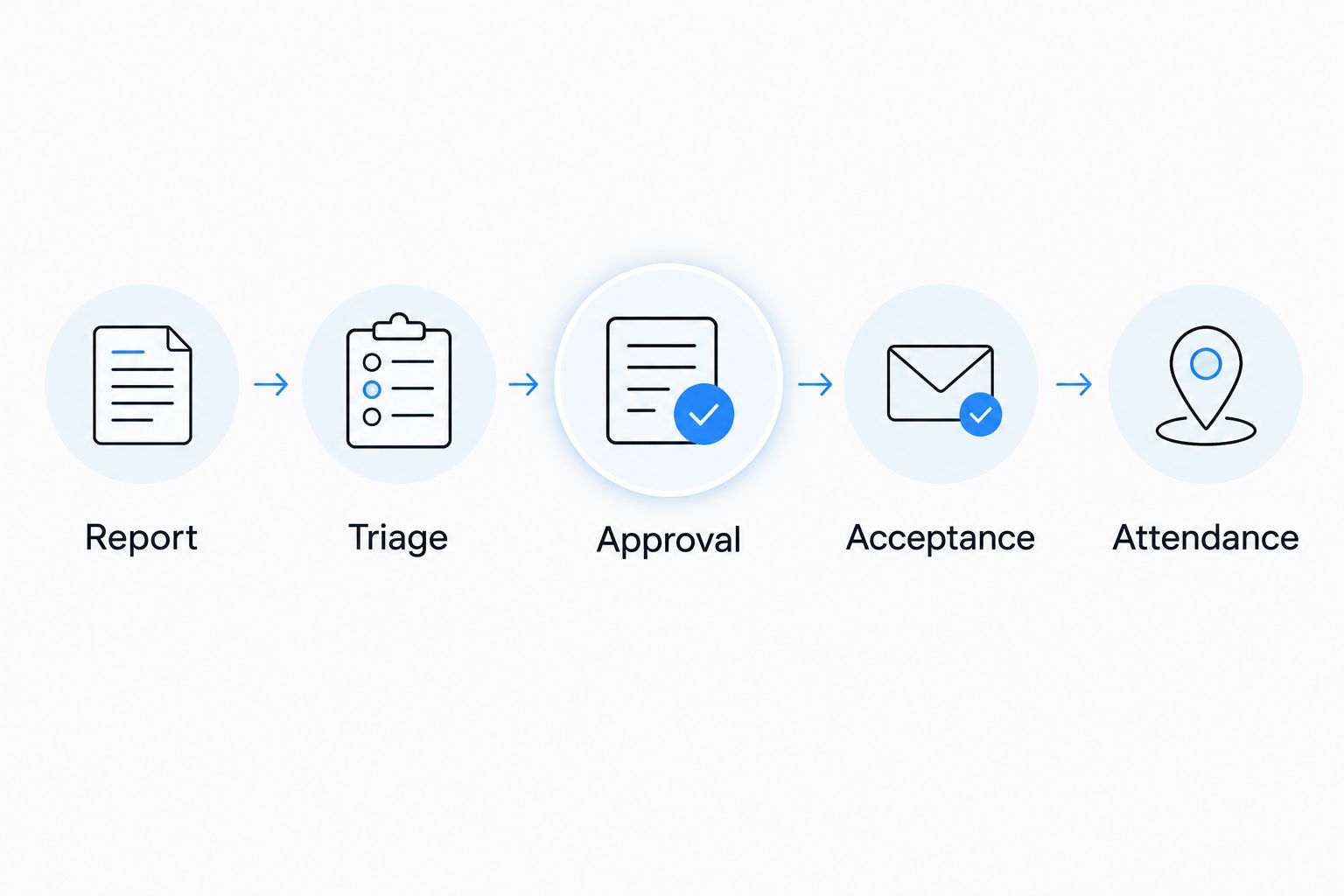
The handoff follows a simple sequence: Report, Triage, Approval, Acceptance, Attendance. Each stage needs evidence before the record advances; an automatic notification is not evidence that the next stage occurred.
Use the property management software connection guide when you need to extend this handoff between your property records and a maintenance contractor. Confirm supported connection methods before building an automated transfer.
Attendance and closure configuration
Keep dispatch separate from completion. A successful same-day assignment still needs a record of attendance, findings and any unfinished work.
- Set On site only after attendance is confirmed. Record restrictions, changed conditions and any additional work requiring authorisation.
- Request Work performed, Completion evidence, Outstanding work and Follow-up required from the attending trade. Record temporary controls separately from a permanent repair.
- Track 3 milestone timestamps: Reported at, Accepted at and Attended at. These distinguish reporting delay, contractor acceptance and actual attendance without confusing the measures.
- Set Awaiting verification when the trade submits its findings. Have the responsible site representative check the reported outcome and outstanding restrictions.
- Set Closed only after the outcome is accepted and follow-up work has its own tracked action. Do not close an unresolved fault simply because the first visit ended.
Expected result: The record shows what was reported, what was authorised, what happened on site and what still needs attention.
For 2026 reporting, describe a job as completed only when your closure criteria are met. Keep unsuccessful access attempts and temporary repairs visible; otherwise the record hides the reason the fault remains unresolved.
Variant: act when an existing fault changes
A second workflow handles updates to an open fault. Use it when a reporter adds evidence, an affected area changes or the contractor discovers a different scope.
Update the existing record before creating another dispatch request. A new photograph of the same fault should not automatically generate a second trade booking.
| Workflow option | Best for | Advantage | Limitation |
|---|---|---|---|
| New-report workflow | Newly identified faults | Creates a clear starting record and accountable owner | Duplicate reports need checking before dispatch |
| Existing-fault update workflow | Changed conditions or additional evidence | Preserves the history and current assignment | Material changes need fresh triage and sometimes approval |
Configure the update trigger to compare the changed fields. Changes to Observed hazard, Operational impact, Exact location or Approved scope should return the record to triage and notify the owner.
A routine comment can notify the owner without changing acceptance. A changed location or scope needs confirmation with the assigned contractor; the original acceptance does not automatically cover different work.
Link duplicate reports to the active job and tell each reporter which reference to use. Keep the original evidence rather than deleting the duplicate history.
Troubleshooting
The contractor received the email but nobody is attending
Check acceptance, not message delivery. Contact the nominated dispatcher and confirm whether the assignment was accepted, who holds it and what attendance window was agreed. Keep the job at Awaiting response until that acknowledgement exists.
The trade reaches the site but cannot enter
Check the access instructions against the actual appointment: contact availability, entry point, induction requirements and restricted areas. Correct the record and agree a revised arrangement; do not mark an unsuccessful access attempt as completed work.
Several people report the same fault
Search by site, location, asset and fault description before releasing another assignment. Link the reports to one active job. Preserve differing observations because they can show that conditions changed.
The fault is worse than the original report
Return the job to triage and apply the site's safety procedures. Confirm the revised scope and authority before additional non-emergency work proceeds. Notify the assigned trade directly rather than relying only on a background record update.
The work is marked complete but the problem remains
Review the completion evidence against the original fault and approved scope. Reopen the record or create a linked follow-up action with a named owner. Separate a temporary make-safe action from permanent rectification in the status history.
Customise your workflow
Start your 2026 rollout with one site and a nominated workflow owner. Use practice cases covering a complete report, missing access details, a declined request and changed conditions; check that each reaches the right person without creating duplicate assignments.
Then adapt access and authorisation requirements to the facility. Childcare centres need site-specific arrangements around occupied areas; commercial builders need work coordinated with site controls and other activities.
OZLINK Facility Services provides commercial maintenance, reactive repairs and specialist facility services. The advantage is a service scope covering several facility needs; the boundary is that same-day acceptance, attendance and completion must be confirmed for each request, not assumed from the service list.
Review unresolved jobs during the working day and leave a clear handover for anything still awaiting approval, acceptance or access. A named owner matters more than another notification.
FAQ
How do I turn a facility fault report into same-day trade dispatch?
Capture the location and fault, assess risk, approve the scope and obtain explicit contractor acceptance. Confirm the attendance window separately; submitting a report does not establish a booking.
Does same-day dispatch mean the repair will be finished that day?
No. Same-day dispatch does not establish same-day attendance or completion. Record acceptance, attendance, temporary safety work and permanent rectification as separate events.
What information should a facility fault report include?
Include the site, exact location, observed fault, reporter contact, known hazards and access restrictions. Add an asset reference and photographs when they can be obtained safely.
Can I automate dispatch without someone reviewing the fault?
Keep a human review before dispatch for risk, trade suitability and work authorisation. Automate record creation and notifications without treating automation as a safety assessment.
Can OZLINK Facility Services coordinate commercial reactive maintenance?
Yes. OZLINK Facility Services provides commercial maintenance and reactive repairs, including plumbing and electrical coordination, across South East Queensland and selected regional Queensland locations. Confirm the particular location, scope and attendance arrangements when requesting work.
What should happen when an open fault becomes more serious?
Return the existing record to triage and follow the site's safety procedures. Notify the assigned contractor, review authorisation and confirm whether the accepted scope and attendance arrangement still apply.
Which timestamps should I track in a 2026 dispatch workflow?
Track when the fault was reported, when the contractor accepted it and when attendance occurred. Keep completion and verification records separately so dispatch performance does not conceal unresolved repairs.
One last thing
Make acceptance a required field, not an assumption. Before adding more automation, find the point where a contractor explicitly takes responsibility for the assignment. If that acknowledgement is missing, a faster notification only sends an unconfirmed request sooner.