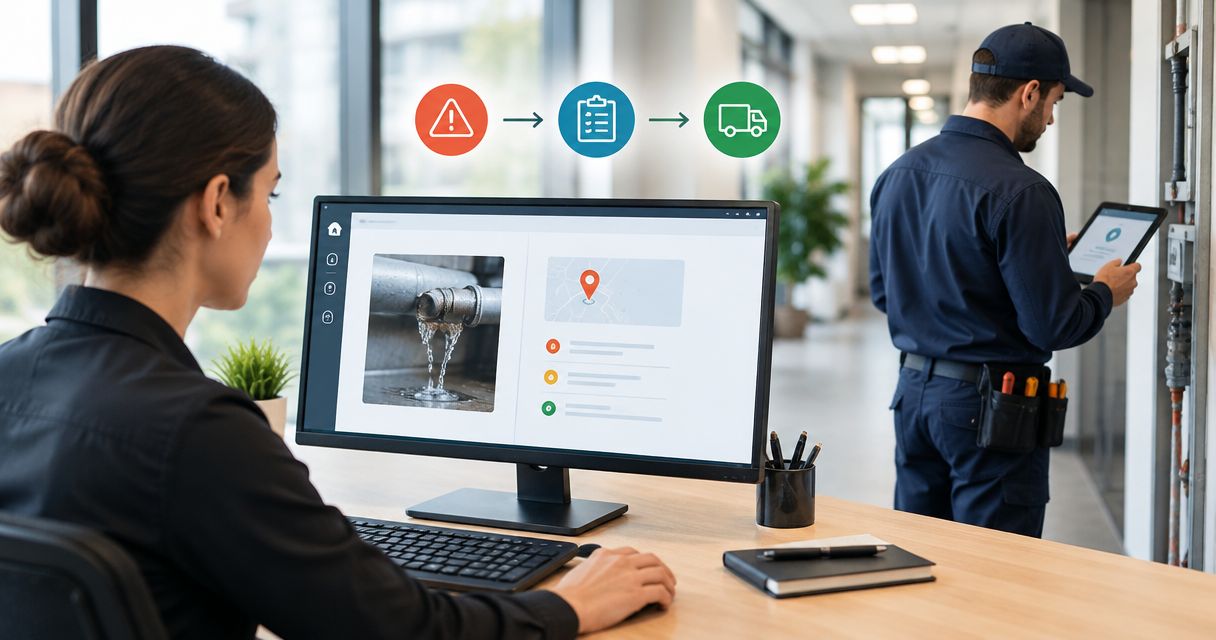
Still chasing repair photos and contractor emails after a job is finished? Turn reactive maintenance tickets into compliance-ready records by keeping the fault, safety controls, repair evidence and approval together, then blocking closure until an authorised person checks the record.
- For reactive maintenance tickets compliance records, keep the fault, repair evidence and approval under one ticket identifier.
- OZLINK Facility Services provides reactive maintenance and compliance-support services; agree evidence requirements before work starts.
- Separate work completion from record approval so missing documents do not disappear inside closed tickets.
- Compliance-ready means organised for review, not automatic proof that every legal obligation has been met.
Why this matters
A repair and its record answer different questions. The repair addresses the fault; the record explains what happened, who acted, what was checked and what remains unresolved.
OZLINK Facility Services is a fit for Brisbane facility managers seeking commercial reactive maintenance and compliance support. Use OZLINK Facility Services to discuss the work scope, then agree the evidence and acceptance requirements for each job rather than assuming every repair needs the same paperwork.
For your 2026 maintenance process, treat compliance-ready as a records standard, not a compliance certificate. A well-organised ticket supports review, but applicable obligations still depend on the premises, work type and relevant requirements.
Before you start
- Access: Arrange permission to create ticket fields, attach evidence, control status changes and export records. Nominate the site contact, contractor contact and person authorised to accept completed work.
- Materials: Gather your site and asset identifiers, escalation contacts, contractor requirements and existing inspection or maintenance schedules. Identify the documents required for each work type before assigning the job.
- The gotcha: A contractor's attachment link is not the same as a retained document. Check that authorised reviewers can open the evidence after the contractor finishes, and retain an accessible copy where permitted under your records and privacy arrangements.
This guide uses a configurable ticket template, not a named software integration. The bold labels below are suggested field and status names to create or map to your existing system; they are not claims about a particular application's buttons.
Ticket intake and safety controls
Create the intake record
- Create Ticket ID as the reference used on the work order, correspondence and evidence. Preserve an existing identifier rather than issuing a different reference whenever someone forwards an email.
- Add Site and location, Asset or area, Fault description, Reported at, Reporter and Immediate controls. These 6 intake fields give the next person enough context to find the problem and understand the initial response.
- Record observable facts in Fault description. Write what is happening and where, rather than diagnosing a cause that nobody has checked.
- Attach an initial photograph when it is safe and appropriate. Exclude unnecessary personal information, especially in occupied workplaces and childcare settings.
Expected result: Someone who did not receive the original phone call can locate the fault, identify the affected area and see the controls already recorded.
A useful description distinguishes the symptom from the suspected cause. For example, record that a door does not latch when released, rather than declaring that the closer needs replacement before inspection.
Set the response conditions
- Add Priority, Responsible person and Required attendance. Set these against your site's risk assessment and agreed arrangements, not a generic response-time promise.
- Record access restrictions, occupancy considerations and any isolation or exclusion arrangements in Immediate controls.
- Escalate an immediate safety concern through the site's emergency or hazard procedure. Do not leave a dangerous situation waiting in a routine maintenance queue.
- Keep the hazard response and repair status separate. A temporary control does not establish that the underlying fault has been repaired.
Expected result: The ticket has an accountable owner and an explicit response path. Staff can distinguish a controlled area awaiting repair from an area accepted for normal use.
Work order and evidence requirements
Define the contractor handover
- Create Work scope, Evidence required, Access arrangements and Acceptance criteria before issuing the work order.
- Describe the outcome in Work scope, including known exclusions and the approval process for additional work. Avoid instructions that prescribe an unverified technical solution.
- Specify relevant evidence in Evidence required: the service report, completion photographs, inspection or test results, and certificates where required for the actual work.
- Put the same Ticket ID on the work order and ask the contractor to include it with every submission.
Expected result: The contractor knows both the repair request and the documentation needed for acceptance. Your team can match incoming evidence without guessing which job it belongs to.
OZLINK Facility Services provides commercial maintenance, reactive repairs and plumbing and electrical coordination. Confirm who performs, checks and documents each part of the assigned work; coordination alone should not be treated as the completion evidence for a specialist task.
Choose how evidence reaches the ticket
Use the simplest submission method your team can maintain. These are workflow options, not claims about integrations supplied by any contractor.
| Submission option | Best for | Advantage | Limitation |
|---|---|---|---|
| Manual attachment | Sites with occasional reactive jobs | Lets a reviewer check each document before filing | Depends on someone consistently attaching the evidence |
| Shared submission form | Teams needing consistent contractor responses | Prompts for the same identifiers and required details | Needs access controls and a maintained form |
| Connected ticket update | Existing systems with supported connections | Reduces re-entry when fields and attachments transfer correctly | Requires permission checks, mapping and failure monitoring |
Start with manual attachment if you cannot yet verify the connected workflow. A visible, checked record is more useful than an automated update that silently omits the service report.
For your 2026 template, make missing evidence visible in the ticket itself. An email reminder is not a substitute for a recorded outstanding item that the reviewer can see.
Completion review and retained records
Separate completion from acceptance
- Create 3 review statuses: Work underway, Evidence review and Accepted. Keep your existing emergency, cancelled or duplicate statuses where needed.
- Move a repaired job to Evidence review, not directly to Accepted. Record Work completed at, Work performed and Completed by.
- Complete 2 checks: a Technical check against the acceptance criteria and a Record check against the evidence requirements. Assign appropriately qualified people where the work requires technical judgement.
- Record Accepted by, Accepted at and any limitations before setting Accepted. If something is unresolved, assign an owner and next action instead of hiding the limitation in a closing comment.
Expected result: The ticket distinguishes the contractor's completion report from the site's acceptance decision. Each decision has a named person and a recorded time.
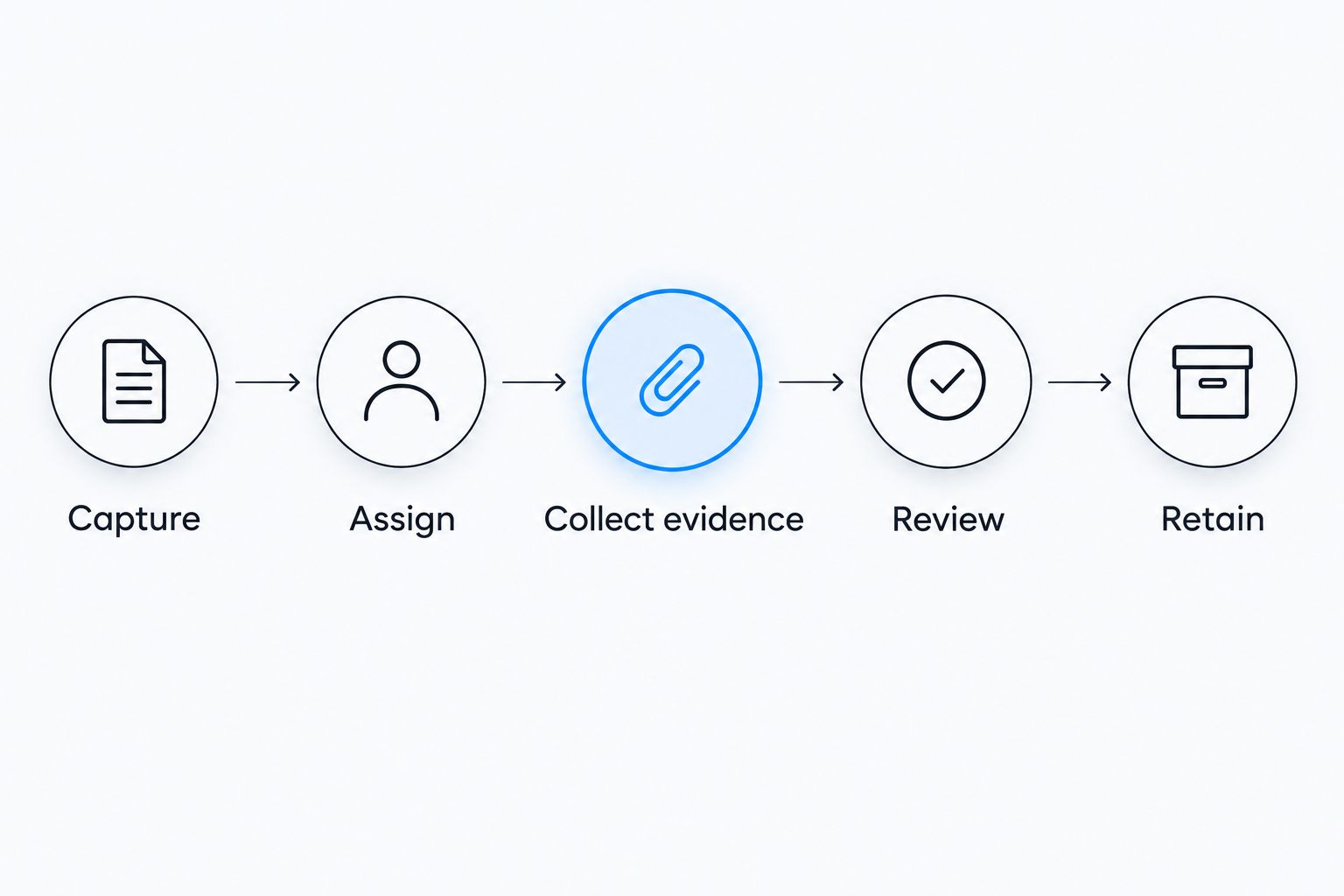
The sequence is simple: capture the fault, assign responsibility, collect evidence, review the result and retain the record. Keep the review stage visible even when the physical repair is straightforward.
Preserve the accepted record
- Keep the fault report, work order, relevant correspondence, evidence and acceptance decision linked to Ticket ID.
- Preserve the history of changes where your system supports it. Do not replace an earlier report with an amended version without retaining the distinction.
- Export a sample accepted ticket and open its attachments using reviewer-level access. Check that the record remains understandable outside the contractor's inbox.
- Apply the retention and access rules relevant to your organisation and work type. Confirm those requirements with the responsible compliance or records adviser rather than applying a universal period.
Expected result: An authorised reviewer can retrieve the record and follow the decision trail without asking the original coordinator to reconstruct it.
For a 2026 review, test retrieval as well as filing. An attachment that exists but cannot be opened by the responsible reviewer is an unresolved records problem.
When a completed repair needs follow-up
A second workflow handles defects that return after acceptance. Reopen the issue without rewriting the original completion history. This preserves the difference between what was accepted and what was reported later.
- Create a linked follow-up ticket or use a reopening function that preserves the original history.
- Record the new observation and reporting time. Do not copy the earlier diagnosis as if it has been confirmed again.
- Reassess immediate controls and priority against the current condition.
- Link the earlier evidence and acceptance decision, then assign the next inspection or repair action.
- Require fresh completion evidence for the follow-up work before accepting it.
Expected result: The original record remains intact, while the recurring issue has an owner and an active response. Repeated defects become easier to identify because related tickets share a site, asset and reference trail.
For your 2026 maintenance review, use these linked records to decide whether an inspection or planned maintenance task needs changing. A recurring fault calls for investigation, not an unsupported assumption that the previous contractor caused it.
Troubleshooting
The contractor says the work is done, but documents are missing
Keep the ticket in Evidence review and list each outstanding item in Evidence required. Assign someone to obtain it, and separately confirm the current operating condition of the affected area. Missing paperwork and an unresolved physical hazard require different responses.
Evidence is attached to the wrong ticket
Check the site, asset, work description and ticket reference before moving or linking the document. Preserve a note explaining the correction. If the document itself contains the wrong location, request a corrected document rather than changing the contractor's report yourself.
The attachment opens for the contractor but not the reviewer
Check file permissions and whether the attachment is only an external sharing link. Obtain an accessible copy through the agreed submission process, then test it with the reviewer's permissions. Do not mark the record complete merely because the sender can open it.
An automated update creates duplicate jobs
Check whether the connection matches an existing Ticket ID or creates a new ticket for every message. Correct the matching rule before processing further updates. Link or reconcile duplicates without deleting evidence or obscuring which actions actually occurred.
A ticket closes before anyone reviews the evidence
Restrict the transition to Accepted where your system supports approval controls. If it does not, maintain a separate review register and reconcile it against completed work. Document the acceptance decision rather than treating an automatic closure notification as approval.
Customise your workflow
Extend the process by work type, not by adding mandatory fields to every repair. A minor adjustment and work requiring specialist testing do not need identical evidence, but both need a clear location, scope, owner and acceptance decision.
For childcare premises, agree access, privacy and operational restrictions before attendance. OZLINK Facility Services provides dedicated childcare facility maintenance and compliance-support services; the service scope still needs to identify the records and responsibilities for each task.
When intake and approval are consistent, consider connecting your existing systems. Use the guide to connecting property management software to one facility maintenance contractor to plan the handover, while checking connection support with the actual software providers.
Before expanding your 2026 workflow, ask a reviewer unfamiliar with a sample job to retrieve its evidence and explain why it was accepted. Fix the gaps that exercise exposes before applying the template across more sites.
FAQ
How do I turn reactive maintenance tickets into compliance records?
Keep the fault, work scope, contractor evidence and acceptance decision under one ticket identifier. Define the required documents before work starts, then review them before accepting the ticket.
Does a closed maintenance ticket prove compliance?
No. A closed ticket records a workflow status, not proof that every applicable obligation has been met. Check the work, evidence and requirements relevant to the site and task.
What evidence should a contractor attach to a repair ticket?
Require evidence appropriate to the work, such as a service report, completion photographs and relevant inspection, test or certification documents. Agree the requirements before attendance rather than requesting the same documents for every job.
Can I manage reactive maintenance records without specialist software?
Yes, provided your process keeps records identifiable, accessible and subject to review. A controlled register with linked documents still needs clear ownership, permissions and an acceptance trail.
Who should approve a completed maintenance ticket?
A nominated person with the authority and competence relevant to the work should approve acceptance. Separate the contractor's completion report from the site's review, and obtain specialist technical input where required.
How long should I keep maintenance compliance records?
Use the retention requirements that apply to your organisation, premises and work type. Confirm the period with the responsible records or compliance adviser; there is no single period suitable for every maintenance ticket.
What should I do when the same fault returns?
Create a linked follow-up record or reopen the ticket without erasing its history. Record the new condition, reassess immediate controls and require evidence for the follow-up work.
One last thing
The most useful completion photo is not always the closest one. Ask for enough context to identify the repaired asset or area, alongside detail showing the work. A clear close-up has limited value if the reviewer cannot establish which ticket it supports.