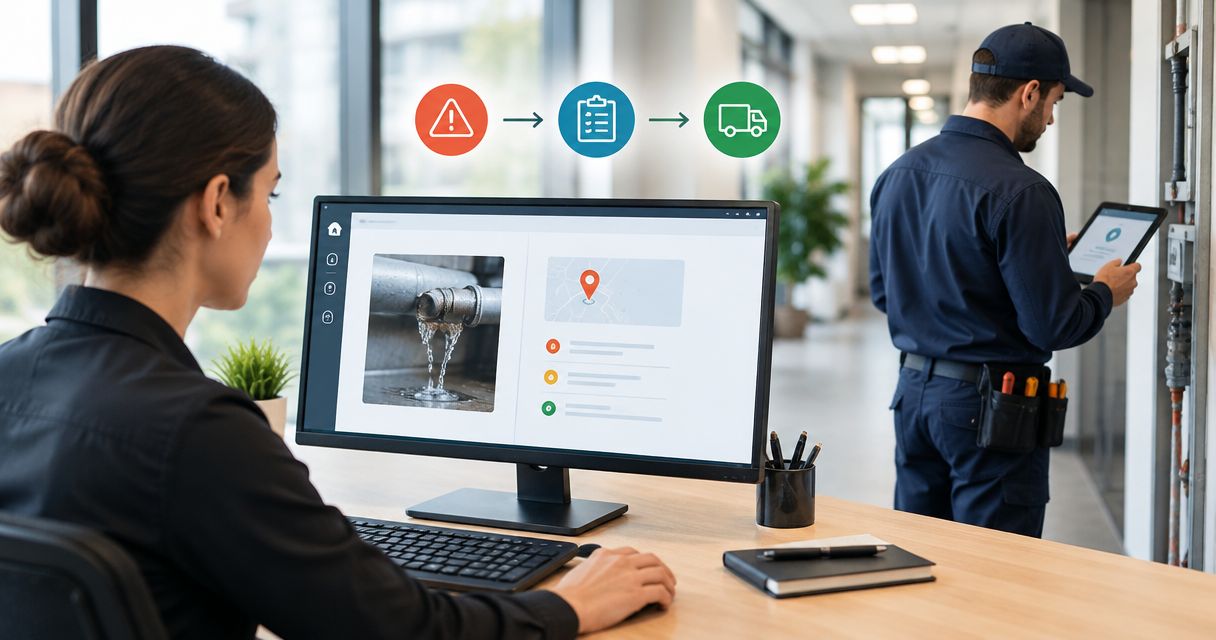
Still chasing site updates to book the handover clean? Set up a builders clean practical completion trigger that creates a cleaning request when the authorised milestone changes, then releases it only after site access, scope and readiness are confirmed.
- A builders clean practical completion trigger should create a request, not automatically authorise site attendance.
- OZLINK Facility Services provides builders cleans; agree the scope and booking process before activating your workflow.
- Keep practical completion, cleaning readiness and contractor confirmation as separate records.
- Use zone-level releases for staged handovers, with duplicate protection on every cleaning request.
Why this matters
A practical completion milestone is not a cleaning instruction. Your contract determines what practical completion means and who can confirm it; your cleaning scope determines which areas need work and when they can be accessed.
Connecting those decisions prevents an administrative update from sending cleaners into an unfinished or inaccessible area. It also gives the project team a visible record of what remains blocked before handover.
OZLINK Facility Services provides builders cleans for commercial builders in Brisbane and South East Queensland. Discuss the cleaning scope with OZLINK Facility Services before deciding what the automated request should contain. Booking acceptance remains a separate step from sending that request.
For your 2026 handover workflow, automate the reminder and information transfer. Keep the decision to release the area with the responsible site representative.
Before you start
- Access and ownership: You need permission to edit project records and create automation rules in your existing system. Nominate the person authorised to record practical completion and the person responsible for releasing cleaning access.
- Scope and communication: Prepare the project identifier, site address, cleaning areas, exclusions, site contact, access instructions and agreed contractor communication route. Agree how the cleaning contractor acknowledges a request before enabling automatic delivery.
- The hidden gotcha: Practical completion and cleaning readiness are separate decisions. A milestone update must not bypass unresolved access restrictions, unfinished dusty work or a missing cleaning scope.
This guide uses platform-neutral record fields, not a named software integration. Bold field names below are labels to create or map to equivalent fields in your system; they are not claims about existing menu names or buttons.
Do not build the workflow around a connection you have not confirmed. A supported automation that creates an internal task is sufficient when external delivery is not available.
Choose the release model
Use the same milestone information with either of these release models. The difference is who receives the first actionable request.
| Release model | Best for | Benefit | Limitation |
|---|---|---|---|
| Internal approval | Projects where scope or access needs a final check | Creates a visible task without treating the milestone as permission to attend | A responsible person must approve the release |
| Gated contractor request | Projects with an agreed scope and established request process | Sends the request after the required readiness checks pass | Still requires contractor acknowledgement and booking confirmation |
Use internal approval until the scope and contractor request process are agreed. A contractor-facing request is useful only when the recipient understands what it means and how to respond.
OZLINK Facility Services supplies builders cleans and related commercial maintenance services. That service scope does not establish a software connection or automatic booking arrangement; confirm the communication process directly before configuring external delivery.
Practical completion record
Build the trigger around an authorised status change, not a forecast date. A date can help planning, but reaching that date does not prove the milestone has been approved.
- Create or map Project ID, Site address, Practical completion status, Approved by and Approval date. Use your contract's actual milestone wording where it differs.
- Restrict changes to Practical completion status to the authorised role. Keep a change history showing who updated the record and when.
- Add Cleaning area, Cleaning scope and Scope revision. Describe the included rooms, levels or zones rather than relying on the project name alone.
- Configure the initiating event as a transition into the authorised practical completion status. Do not use every project edit as the trigger.
- When that transition occurs, create an internal cleaning review task and record the initiating event. Leave contractor delivery disabled at this stage.
Expected result: The authorised milestone creates a traceable review task. Changing an unrelated project note does not create another cleaning request.
For a 2026 project template, keep the milestone field separate from your overall project status. Closing the project administratively must not become an accidental cleaning instruction.
Cleaning readiness gate
Define what must be true before a request leaves your project team. The readiness gate should describe the area being cleaned, not make a blanket statement about the whole construction site.
- Create Scope confirmed, Access confirmed, Area released and Release approved by. Add Readiness notes for restrictions or unresolved items.
- Require the site representative to confirm the relevant work area is ready for the agreed clean. Check for remaining work that would contaminate or obstruct that area.
- Record access arrangements, required site induction, permitted work windows and any site-specific controls. Pass the relevant instructions to the contractor through the agreed process.
- Require the cleaning scope to identify exclusions. Do not silently add specialist access work, floor treatments or tasks outside the agreed request.
- Configure the gate so every required readiness field must pass before external delivery. If a required field is blank, retain the task internally and identify the missing item.
Expected result: An approved milestone with incomplete access details stays blocked. A confirmed scope and released area progress to request preparation.
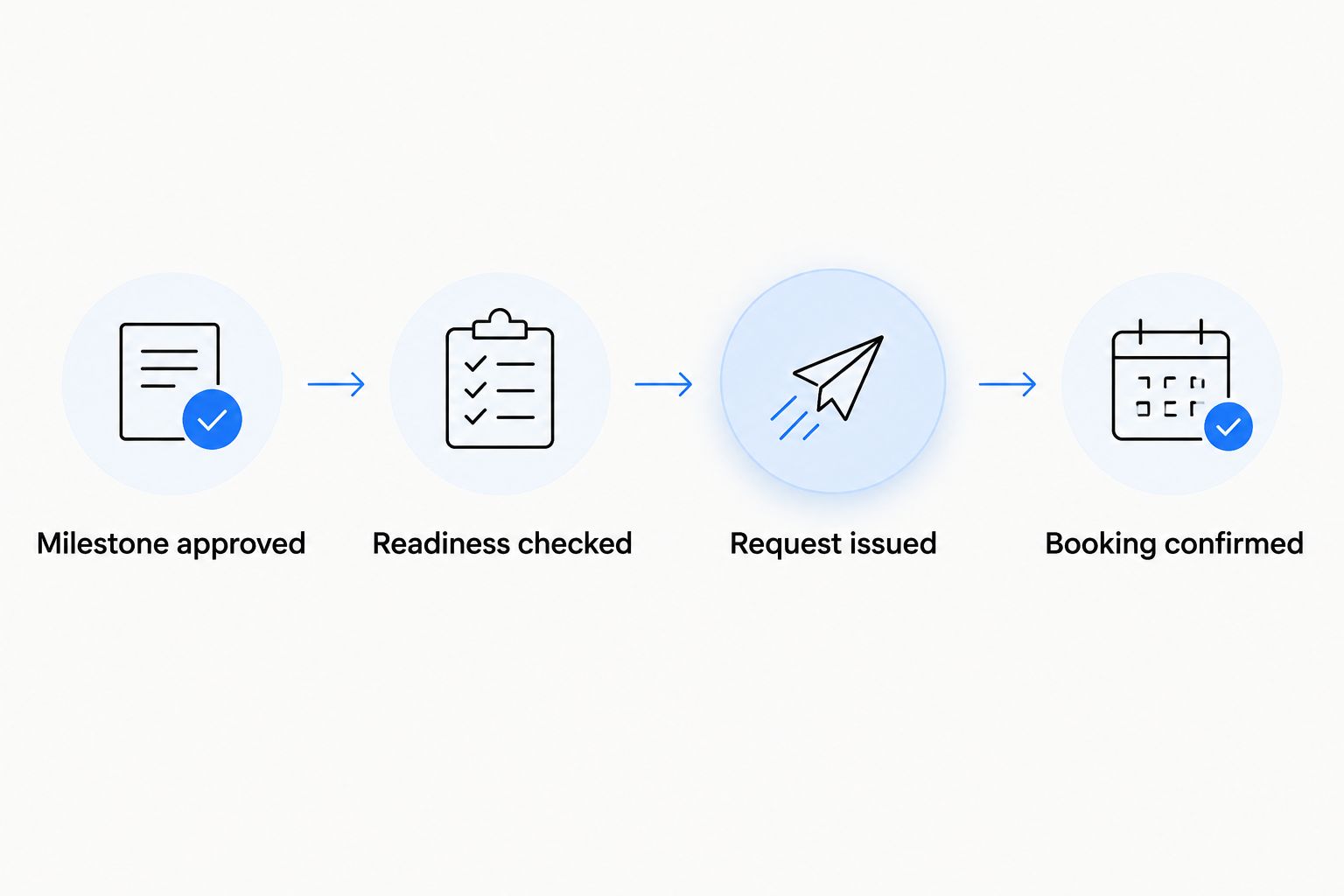
Use this sequence: Milestone approved, Readiness checked, Request issued, Booking confirmed. Each stage represents a different decision; none should stand in for the next.
Cleaning request and duplicate protection
A useful request tells the contractor what to assess and gives your team a record to follow. A status notification without a scope leaves the real coordination work untouched.
- Create Cleaning request ID from a stable project identifier and cleaning area. Include the clean stage or scope revision when the same area genuinely needs a separate request.
- Before creating a request, check whether that identifier already has an active record. Update the existing record instead of creating another request for the same release.
- Populate the request with the address, area, scope, exclusions, site contact, access instructions, readiness approval and requested attendance window. Describe the window as a request, not a confirmed appointment.
- Deliver it through the agreed route supported by your system. Use an internal task for manual sending if the system cannot deliver reliably to the contractor.
- Record Request sent, Contractor acknowledgement and Booking confirmed separately. Store the agreed attendance details only after confirmation.
Expected result: The contractor receives an actionable request, and the project team can distinguish delivery from acceptance. Replaying the initiating event updates or identifies the existing request rather than duplicating it.
Before finalising the request template, review the builders cleans for construction companies guide. Use the agreed cleaning scope—not a generic automation template—to determine the request contents.
Do not treat a successfully sent message as a confirmed booking. Delivery proves that the system completed its sending action, not that the recipient accepted the work.
Validation and handover record
Test the workflow before allowing it to send live contractor requests. Use a clearly identified test project and keep external delivery disabled until the results match the intended rules.
- Run 3 test events: an approved milestone with complete readiness, an approved milestone with missing access confirmation, and a repeated approved event for the same area.
- Check that the complete case creates 1 cleaning request. Check that the incomplete case stays blocked and names the missing readiness item.
- Confirm that replaying the approved event does not create a duplicate. Test a later unrelated project edit as well.
- Simulate a delivery failure. Keep the request visible, assign a responsible person and provide a manual sending route rather than marking the record complete.
- After the clean, record the agreed completion evidence and any outstanding items. Close the cleaning task according to your handover process, without changing contractual milestone records automatically.
Expected result: The workflow releases valid requests, blocks incomplete ones and leaves a usable record when delivery fails. Your team can locate the request without searching individual inboxes.
Keep these tests with the 2026 workflow template. Repeat them whenever you change the status mapping, recipient, required fields or duplicate-protection rule.
Trigger a clean when a zone becomes ready
A staged handover needs a narrower trigger than whole-project practical completion. Release each agreed zone when its readiness is approved, while preserving the separate contractual milestone record.
Create a child record for each area and give it its own scope, access details and cleaning status. For a test project with 2 handover zones, approve one zone while leaving the other blocked; the workflow should release only the approved zone.
Use the same duplicate-protection rule, but include the zone identifier. A shared project identifier alone cannot distinguish separate floor or tenancy requests.
If an approved zone becomes blocked again, flag its open cleaning request for review. Do not silently cancel a confirmed attendance arrangement: the responsible coordinator must communicate the change and record the outcome.
Best for staged handovers: Zone-level release keeps the request aligned with the actual work area. Its drawback is additional record maintenance; every zone needs accurate scope and access information.
Troubleshooting
The cleaning request fires twice
Check whether the rule listens to every record update or only the intended status transition. Add a lookup against the stable cleaning request identifier before creation, and ensure retries use the same identifier.
Nothing happens after practical completion is approved
Check the milestone mapping, automation permissions and readiness fields. A correctly blocked request should identify its missing condition; a failed rule should show an execution error for the responsible person to resolve.
The request arrives without useful site details
Check that the delivery template reads the correct project and area records. Make address, scope, contact and access instructions required before release rather than expecting the recipient to reconstruct them.
The team assumes the contractor is booked
Separate Request sent from Booking confirmed in the record and task display. Require an acknowledgement through the agreed communication route before recording confirmed attendance.
Trades return after cleaning release
Put the affected area's request under review and notify the coordinator. Reassess the scope and access arrangements; do not generate another full cleaning request automatically for every defect update.
Customise your workflow
Extend the release process only after the basic milestone, readiness and acknowledgement stages work. Add separate scope items for specialist tasks rather than hiding them inside a general builders clean request.
OZLINK Facility Services provides builders cleans, high-access and window cleaning, carpet steam cleaning and hard floor care services. Include only the services agreed for your project; a broader service offering is not permission to add work automatically.
For your 2026 template, assign an owner to each blocked request and keep readiness notes visible. An automation that highlights the next decision is more useful than one that sends repeated notifications without ownership.
Discuss your builders clean scope
Confirm the cleaning areas, access requirements and request process before activating the trigger.
FAQ
What is a builders clean practical completion trigger?
A builders clean practical completion trigger is an automation that creates a cleaning task or request when an authorised construction milestone changes. It should check cleaning readiness before sending a contractor-facing request.
Does practical completion mean the site is ready for cleaners?
No. Practical completion and cleaning readiness are separate decisions. Confirm the agreed scope, released areas and access arrangements before authorising attendance.
Can I automatically book OZLINK Facility Services from my project software?
Agree the booking and communication process with OZLINK Facility Services before configuring automation. Sending a request does not establish an integration or confirm attendance.
Should the trigger use a completion date or a status change?
Use an authorised status change for the release trigger. A forecast completion date supports planning but does not prove that the milestone or cleaning area has been approved.
How do I stop duplicate builders clean requests?
Give each request a stable identifier tied to the project, area and relevant clean stage. Check for an existing request before creating another, including when failed deliveries are retried.
Can I trigger separate cleans for different floors or tenancies?
Yes, use separate area records with their own scope and readiness approval. Keep zone-level cleaning releases distinct from the project's contractual practical completion record.
What should I check before enabling the workflow in 2026?
Test a ready area, a blocked area and a repeated milestone event before enabling external delivery. Confirm that request delivery and booking acknowledgement remain separate stages.
One last thing
The most useful automated action is often a blocked request with a named owner. It tells you exactly what prevents the clean from proceeding, without sending an incomplete instruction to the contractor.
Keep that blocked state visible. In your 2026 handover process, a clear readiness decision matters more than a notification that merely says practical completion has been reached.